BuzzTV Box Guide 2026: PowerStation 6, G-Series & Full IPTV Setup
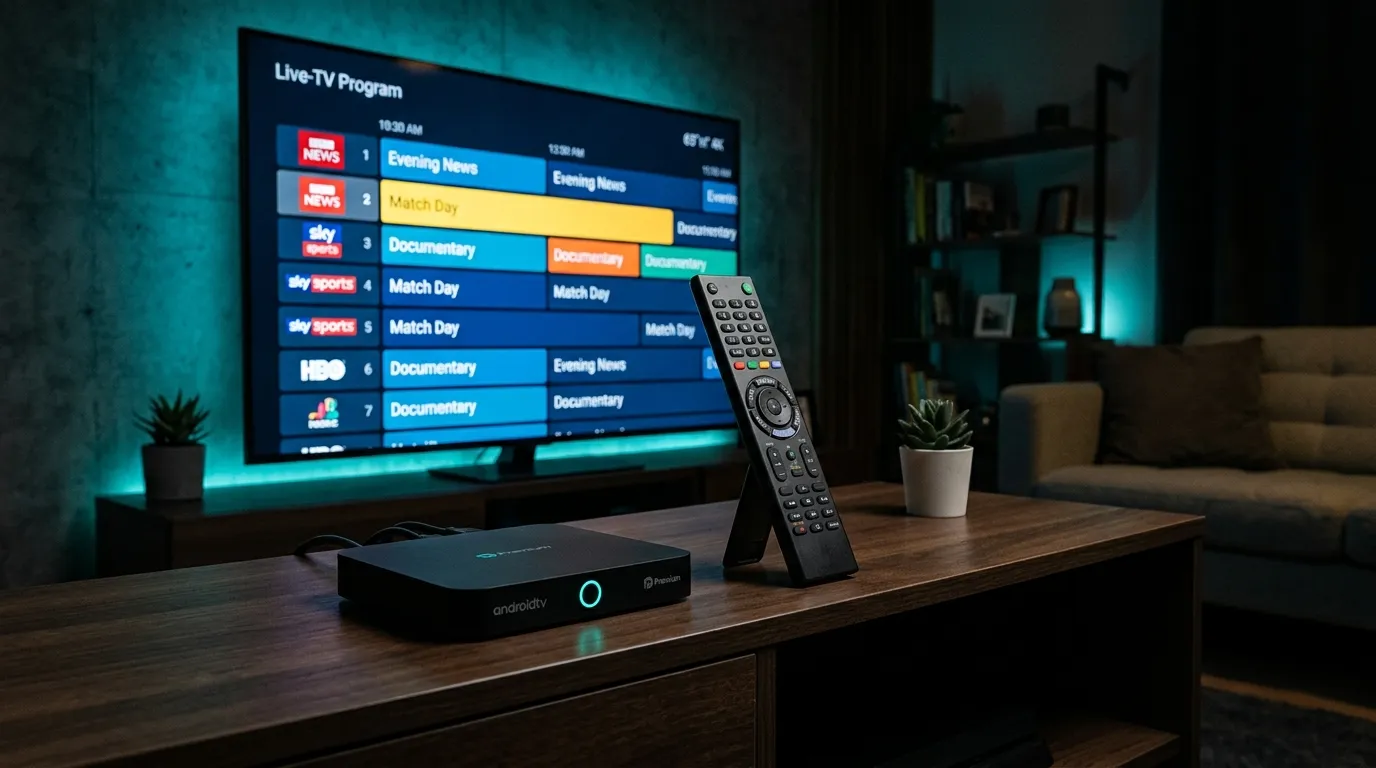
BuzzTV builds Android boxes for one kind of person: someone who watches IPTV every single day and wants it to feel like a premium cable box — guide-first remote, instant zapping, no app juggling. We activate customers on BuzzTV hardware weekly. Here’s the honest 2026 picture: what the boxes are, which one to buy (if any), and how to get your subscription running on one in five minutes.
Key takeaways
- The flagship PowerStation 6 is a genuine powerhouse — Rockchip RK3588, Android 13, 8–32GB RAM versions — priced from roughly $300 to $500 depending on spec.
- Every BuzzTV box ships with BuzzTV’s own IPTV player built around a provider login: paste your Xtream Codes credentials and the guide, VOD, and catch-up light up.
- You don’t need one: the same subscription runs on a €30 stick (full box ranking here). BuzzTV is the comfort-and-power upgrade, not the entry ticket.
What BuzzTV actually is
BuzzTV is a North American brand making Android-based set-top boxes purpose-built for IPTV — their own launcher, their own player app, and remotes with dedicated guide/channel keys, layered on top of a normal Android TV experience with the Play Store. Their main rival is Formuler (our Z11 deep-dive); the short version of that rivalry: Formuler is the IPTV-first purist’s pick, BuzzTV gives you more raw hardware and a more Google-flavored ecosystem.
The current lineup that matters:
| Model | What it is | Rough price |
|---|---|---|
| PowerStation 6 (P6) | 2026 flagship — RK3588, Android 13, 8GB RAM / 128GB base | just under $300 |
| P6 (16GB) | Same box, more RAM for heavy multitasking | ~$390 |
| P6 Unlimited | Top spec — 32GB RAM / 256GB storage | ~$500 |
| G-Series (older) | The previous BuzzTV generation | worth a look if you find one discounted |
Prices are street prices at the time of writing — treat as ranges.
PowerStation 6: what the specs mean in practice
On paper: dual quad-core Rockchip RK3588, 8–32GB RAM depending on tier, expandable NVMe storage, Wi-Fi 6 (AX), Android 13, and the BT-500 remote. In practice, three things matter for IPTV:
- Channel zapping is instant. The RK3588 is wildly overpowered for video decoding — channel switches and EPG scrolling never stutter, even with a 20,000-channel playlist like ours.
- It ships with BuzzTV 6, the in-house player rebuilt for faster channel switching and improved stability. You log in once with your provider credentials and live TV, movies, and series populate.
- Wired Ethernet + Wi-Fi 6 — for peak-hour sports, wired beats wireless every time (why bandwidth stability matters more than speed).
Is it overkill? For most people, yes — that’s the honest answer. A Firestick running TiviMate does 90% of this for a tenth of the price. The P6 exists for daily heavy watchers who want the last 10%: the cable-box feel, the storage for recordings, and hardware that will still feel fast in five years.
Setting up your IPTV subscription on a BuzzTV box
You need your Xtream Codes login — server URL, username, password. With our service it arrives on WhatsApp within minutes of starting a free trial.
- First boot: connect Ethernet (or Wi-Fi), sign into Google, let the box update itself and the BuzzTV app.
- Open the BuzzTV player (pre-installed, front and center on the launcher).
- Choose to add a playlist and select the Xtream Codes / API login option, then enter the three lines exactly as sent — mind the
http://and port number (what Xtream Codes is). - The guide downloads — give it a minute on first load. Channels, VOD, and the EPG appear organized by category.
- Worth doing on day one: set your favorites row, and in the player settings raise the buffer a notch if your evening internet is busy (more buffering fixes).
Prefer a different app? It’s still an Android box with the Play Store — TiviMate and IPTV Smarters Pro install normally and accept the same login.
Common BuzzTV questions we get on WhatsApp
“Do the channels come with the box?” No — and walk away from any seller claiming otherwise. BuzzTV sells hardware; the channels come from your IPTV subscription. “Fully loaded” boxes with baked-in lifetime channels are the legally murky corner of IPTV and die without warning.
“PowerStation 6 or a Firestick?” Watch less than ~2 hours a day → Firestick, keep the change. Replacing a cable box for a TV-first household → the P6 earns its price in daily comfort.
“PowerStation 6 or Formuler Z11 Pro Max?” The eternal question — hardware muscle and Google TV ecosystem (BuzzTV) vs the most polished IPTV-first software experience (Formuler’s MYTVOnline3). We wrote a full Formuler guide so you can compare properly.
“Will my subscription work on it?” Yes — same login as your phone, TV, and every device in our setup guides. Connections are metered by simultaneous streams, not devices (how that works).
Frequently asked questions
Is BuzzTV legal?
The hardware absolutely — it’s a general-purpose Android box sold openly (Amazon carries it). What matters legally is the subscription you load on it, exactly like any streaming device (the full legality picture).
How much does the BuzzTV PowerStation 6 cost?
At the time of writing: just under $300 for the 8GB base model, around $390 for 16GB, and about $500 for the 32GB/256GB Unlimited edition.
Does BuzzTV need a subscription of its own?
No monthly fee for the box or its apps — your only recurring cost is your IPTV provider subscription.
Can I use BuzzTV in Europe?
Yes — the boxes are less commonly stocked in Europe than Formuler, so you’ll often import one, but everything works identically once it’s plugged in.
The sensible order of operations
Don’t buy the box first. Grab a free trial on WhatsApp, test the service tonight on whatever you already own, and if daily TV is genuinely your thing, then put a PowerStation 6 under it — the subscription (from €5/month billed yearly) is identical either way, and your login moves to the new box in five minutes.