Best IPTV Boxes in 2026: 6 Devices Ranked From €25 to €200
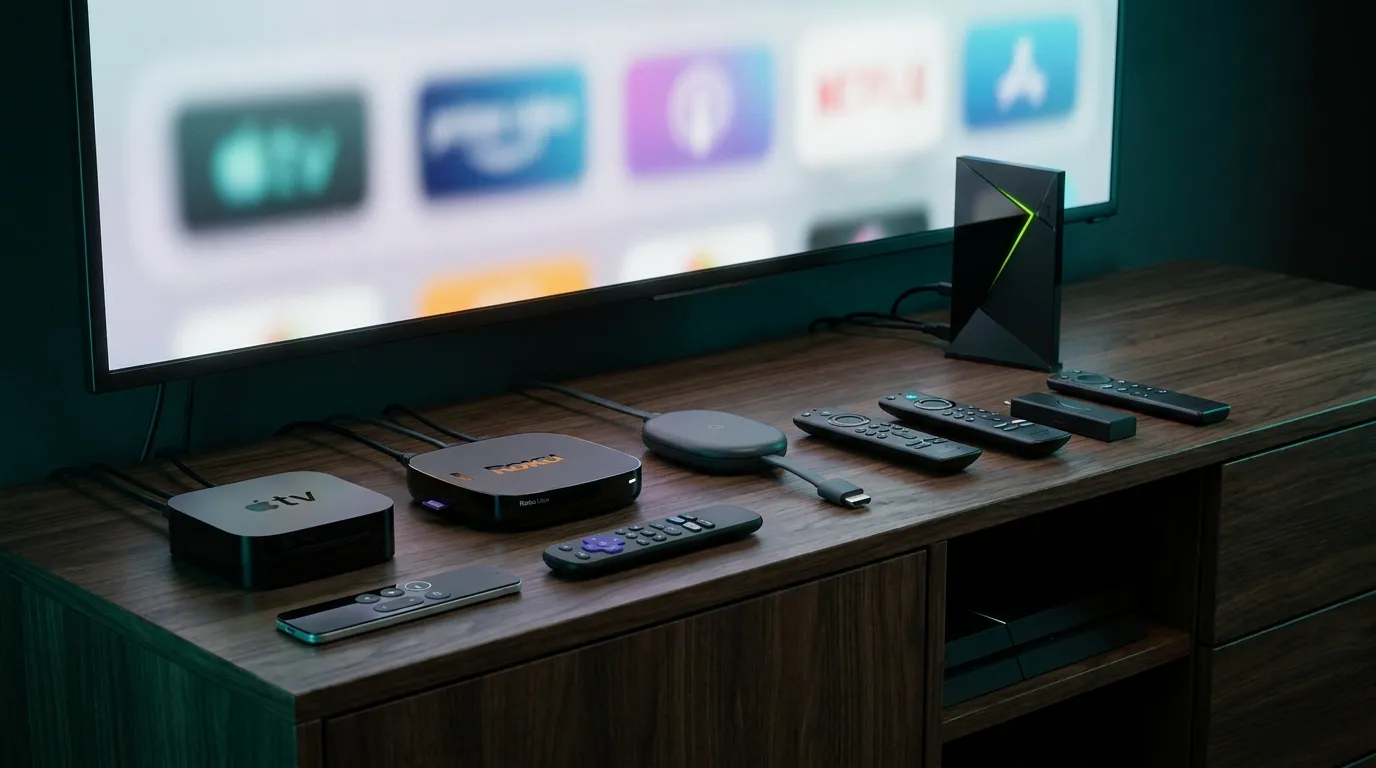
“Which box should I buy?” is the second most common question we get after “how much is the subscription.” The honest answer: most people don’t need a €180 dedicated IPTV box — but some absolutely should get one. Here’s the 2026 lineup we set customers up on, ranked by budget, with what each really does better.
Key takeaways
- A €25–60 Firestick or onn. 4K stick running TiviMate covers 90% of people — spend more only for a specific reason.
- Dedicated IPTV boxes (Formuler, BuzzTV) exist for one audience: daily heavy TV watchers who want a cable-box feel, guide-first remotes, and zero fiddling.
- Your subscription is box-agnostic — the same login works on every device here, so you can upgrade hardware later without touching the plan.
The quick answer by budget
| Budget | Get | Why |
|---|---|---|
| ~€25–35 | onn. 4K / Fire TV Stick HD | Cheapest real IPTV hardware; runs every major app |
| ~€50–70 | Fire TV Stick 4K / 4K Max | 4K, Wi-Fi 6 on the Max, the sweet spot for most homes |
| ~€130–190 | Formuler Z11 series | The dedicated-IPTV king: MyTVOnline app, cable-box experience |
| ~€150 | BuzzTV G-Series | Formuler’s rival: Google TV, big storage, guide-first remote |
| ~€200 | NVIDIA Shield Pro | Only if you also want Plex/gaming muscle — not an IPTV specialist |
| Already own one | MAG box | Still fine — our MAG setup guide revives it in 4 steps |
Prices are street prices at the time of writing and move around — treat them as ranges, not quotes.
1. Fire TV Stick (HD / 4K / 4K Max) — best for almost everyone
Amazon’s sticks are cheap, everywhere, and run the full IPTV app catalog: Smarters Pro, TiviMate, and everything in our player rankings.
- Pros: price, ubiquity, ten-minute setup (guide), 4K on the 4K models
- Cons: Amazon’s launcher pushes its own content; occasional update clears sideloaded apps
- Best for: first box, second TVs, gifting to parents
2. onn. 4K (Google TV) — best raw value
Walmart’s ~€25 Google TV box embarrassed the industry: 4K, clean Google TV launcher, Play Store access — TiviMate installs from the store, no sideloading.
- Pros: unbeatable price-to-capability, native Play Store
- Cons: modest Wi-Fi and storage; availability varies by country
- Best for: the budget pick when you can find one
3. Formuler Z11 series — best dedicated IPTV box
Formuler is what “IPTV box” means to enthusiasts. Its MyTVOnline app is built specifically for provider logins — cable-style zapping, rock-solid EPG, catch-up, recording — and the remote is designed around live TV. We’ve written a full Formuler Z11 Pro Max guide covering setup and the Pro vs Pro Max choice.
- Pros: the closest thing to a premium cable experience; Gigabit Ethernet, Wi-Fi 6 on recent models
- Cons: €130–190; overkill if you watch two hours a week
- Best for: daily TV households replacing a cable box outright
4. BuzzTV G-Series — the other enthusiast choice
BuzzTV plays the same game as Formuler with a different accent: Google TV base, generous storage, hardware upscaling, and a guide-first remote. Their new flagship goes much further — our BuzzTV guide covers the PowerStation 6 and full setup.
- Pros: strong hardware for ~€150, Google TV app ecosystem plus its own IPTV launcher
- Cons: less common in Europe than Formuler, so support/community is thinner
- Best for: heavy watchers who want Google TV and a dedicated IPTV experience in one box
5. NVIDIA Shield Pro — best media powerhouse (not an IPTV specialist)
The Shield is a legendary streamer — but for pure IPTV it’s paying for muscle you won’t use, and its 16GB storage is stingy at €200.
- Pros: best-in-class performance, Plex server, game streaming, superb upscaling
- Cons: price; no IPTV-specific features a €50 stick lacks
- Best for: people who wanted a Shield anyway — IPTV rides along happily on TiviMate
6. MAG boxes — keep if you have one, don’t buy new
MAG portals still work great and set up in minutes (guide) — but a new Firestick beats a new MAG on price and apps in 2026.
What actually matters when choosing
- Ethernet beats Wi-Fi for evening sports — if the box will live far from the router, Wi-Fi 6 or a powerline adapter matters more than CPU specs (bandwidth guide). If 4K is the goal, make sure the box decodes HEVC (what real 4K needs).
- The app matters more than the box. A €25 stick running TiviMate beats a €200 box running a bad player.
- Your subscription doesn’t care. Same login on all of them, switch hardware any time (how connections are counted).
- Avoid “fully loaded” boxes sold with lifetime channels baked in — that bundling is exactly the legally murky part of IPTV, and those services vanish overnight.
Frequently asked questions
Do I need a special box for IPTV?
No — any Android TV/Google TV/Fire TV device works, and even Samsung/LG TVs need no box at all. Dedicated boxes are a comfort upgrade, not a requirement.
What’s the best cheap IPTV box?
The onn. 4K (~€25) where available, otherwise whatever Fire TV Stick is on sale. Both run the full app lineup.
Formuler or BuzzTV?
Both are excellent. Formuler if you want the most polished IPTV-first experience (MyTVOnline — full guide); BuzzTV if you want Google TV underneath and more raw hardware (full guide). In Europe, Formuler’s bigger community is worth something.
Does a better box fix buffering?
Only if the old device was genuinely underpowered. Buffering is usually network or provider load — run this checklist before spending on hardware.
Try before you buy anything
Smart order of operations: grab a free trial on WhatsApp, test it on whatever you own tonight — phone, Smart TV, old stick — and only then decide if the viewing habit justifies dedicated hardware. The subscription (from €5/month billed yearly) is the same either way; the box is just the seat you watch it from.