Smart IPTV (SIPTV) Setup 2026: Add Your Playlist by MAC in 5 Minutes
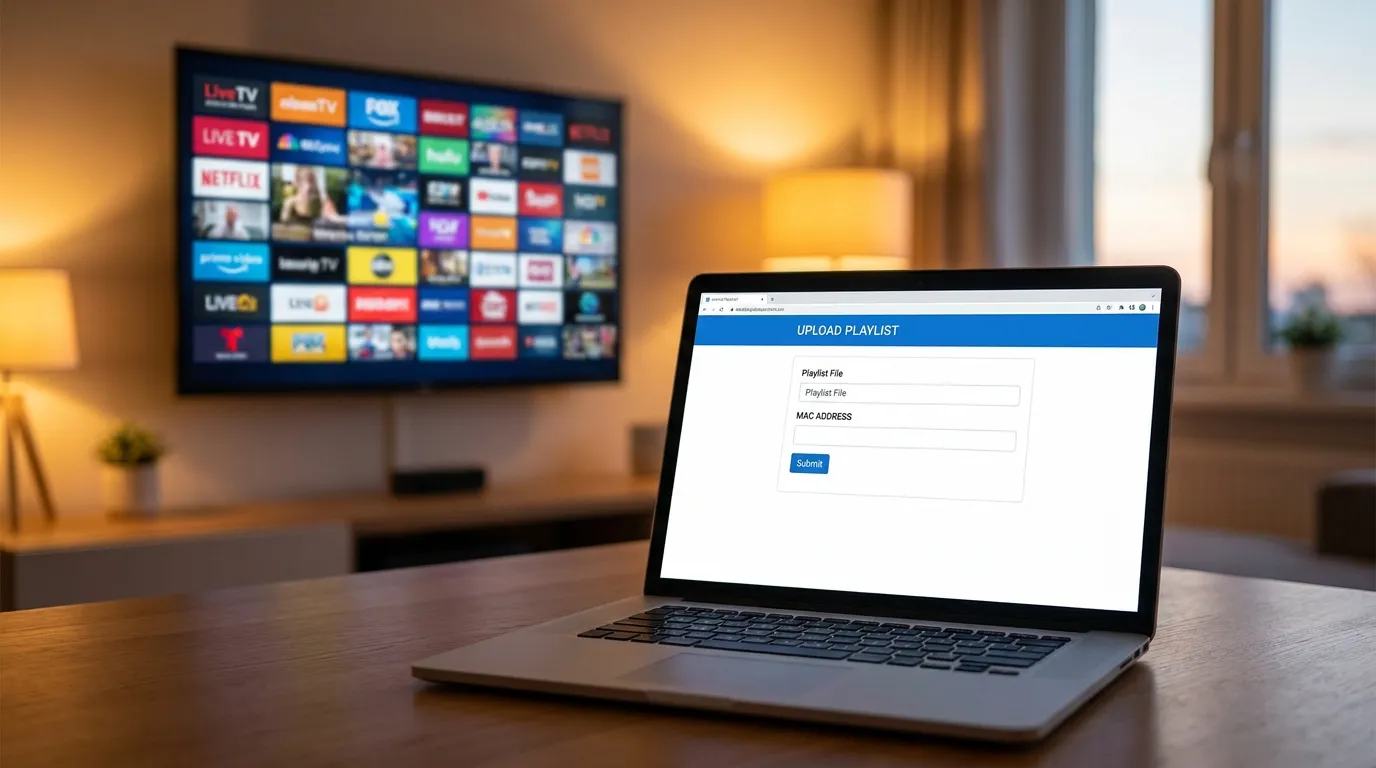
Smart IPTV — usually shortened to SIPTV — is one of the oldest and most popular native IPTV apps for Samsung and LG Smart TVs. Like IBO Player, it works on a simple principle: the TV shows a MAC address, you upload your playlist to that MAC from any browser, and the TV does the rest. Here’s the exact five-minute setup, plus the mistakes that generate half our support chats.
Key takeaways
- SIPTV runs natively on Samsung (Tizen) and LG (webOS) — playlists are uploaded at the app’s website against your TV’s MAC address, so there’s no typing on the TV at all.
- It’s free for a 7-day trial, then a one-time ~€5.49 activation per TV — one payment, that television is unlocked for life.
- SIPTV ships with no channels: it’s a player. The content comes from your IPTV subscription’s M3U playlist.
Before you start
You need an IPTV subscription that gives you an M3U playlist URL — that’s the format SIPTV eats. With our service the link arrives on WhatsApp within minutes of starting a free trial, alongside an Xtream login for other apps (the difference explained).
One warning before anything else: SIPTV’s official site is siptv.eu — and like every popular IPTV app, it has imitators. Use that address (or the one shown inside the app on your TV), and be suspicious of look-alike “activation” sites Google serves you.
Step 1 — Install Smart IPTV on the TV
Samsung: Home → Apps → search Smart IPTV → Install. LG: Home → LG Content Store → search Smart IPTV → Install.
Availability varies by region and TV year — Samsung and LG stores both delist and relist IPTV apps periodically. If SIPTV isn’t in your store, don’t hunt for shady workarounds: IBO Player does the same MAC-based job and is our default recommendation on Smart TVs anyway (full Smart TV guide).
Step 2 — Note the MAC address on screen
Open the app. The welcome screen shows your TV’s MAC address (format aa:bb:cc:dd:ee:ff). Photograph it with your phone. Two things to know:
- This is the app’s identity for your playlist and your activation — everything hangs on this MAC.
- On some TVs the app shows a virtual MAC that differs from the TV’s network MAC. Always use the one displayed inside the app.
Step 3 — Upload your playlist at siptv.eu
- On your phone or laptop, open the My List page on the app’s official site (siptv.eu).
- Enter the MAC from step 2.
- Paste your M3U URL in the link field (choose “URL”, not file, so channel updates flow automatically).
- Tick the country/EPG option if offered, then Send.
- Back on the TV: restart the app. Channels and guide data load in.
That’s the whole trick — the website does what a remote control never could.
Step 4 — Activate after the trial (~€5.49, once)
SIPTV is fully functional for 7 days per TV. After that, the app asks for a one-time activation of about €5.49 for that MAC — pay it on the official site and the app is unlocked on that TV permanently. No subscription, no renewal. (The fee goes to the app’s developers and is separate from your IPTV plan — our pricing doesn’t include or control it.)
If you have several TVs, each MAC needs its own activation — at which point compare with IBO Player’s pricing and pick per TV; your subscription works in both.
Daily use: the buttons nobody tells you about
- Blue button (or 0) usually opens the channel groups — with 20,000+ channels on our plans, navigate by group, not by scrolling.
- Long-press OK opens the channel list with search.
- Yellow button cycles EPG views.
- Mark favorites from the channel list menu — they get their own group at the top.
Common Smart IPTV problems (and fixes)
“Playlist expired” or empty list after upload — the upload went to a different MAC (typo, or you used the TV’s network MAC instead of the app’s). Re-upload against the exact MAC shown in the app.
Channels stall or buffer in the evening — that’s bandwidth, not SIPTV: Ethernet or 5 GHz first, then the full buffering checklist and speed requirements.
App gone from the store after a TV update — regional delisting. Your activation stays attached to the MAC; if the app returns, everything resumes. Meanwhile IBO Player gets you watching today.
Guide is empty on some channels — enable the EPG/country option on the upload page and re-send the playlist; if specific channels stay blank, tell us — that’s a provider-side mapping fix.
Frequently asked questions
Is Smart IPTV free?
For 7 days per TV. After that it’s a one-time ~€5.49 activation per television — no recurring cost. Your IPTV subscription is separate.
Does Smart IPTV include any channels?
None. It’s a player that displays your provider’s M3U playlist — that separation is what keeps player apps legitimate (more on legality).
Smart IPTV or IBO Player — which one?
Both are MAC-activated Smart TV players and both work with our service. IBO’s portal handles Xtream logins as well as M3U and tends to stay listed in more regions, which is why it’s our default; SIPTV is the veteran with a loyal following. Test both during their trials and keep the one you like (all players ranked).
Can I move my activation to a new TV?
Activations bind to the TV’s MAC, so no — a new TV means a new trial and, if you keep it, a new activation.
Five minutes from now, you’re watching
Start a free trial on WhatsApp, get your M3U link, upload it against your MAC, restart the app — done. Run SIPTV’s 7-day trial and ours side by side, and only pay anyone once you’re convinced. Plans from €5/month billed yearly; the same playlist follows you to any app you choose later.