13 Verified Downloader Codes for Firestick & Android TV (Oct 2026)
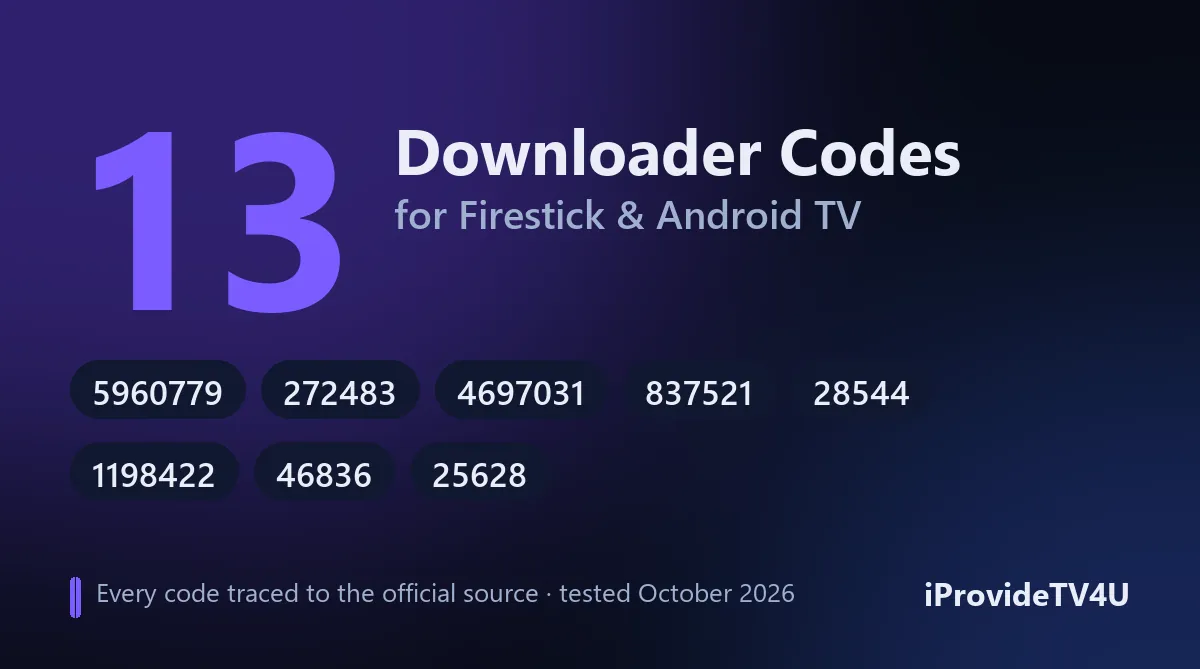
Typing a long download link with a Firestick remote is painful. Downloader codes fix that: you type a short number into the free Downloader app and it opens the right download for you. The catch is that most code lists online are copied from each other, full of dead links, and many codes lead to pirated apps or re-uploaded files nobody can vouch for.
So we tested them. On October 8, 2026 we resolved every code at go.aftvnews.com, recorded the link it opens, then checked that the download responded and sat on the developer’s own domain or GitHub page. 12 of the 13 codes point to the app’s official source (the developer’s own server, official website or official GitHub page). The 13th, Mouse Toggle, has no official download left, so it points to the Internet Archive’s copy of the original release.
Key takeaways
- A Downloader code is just a shortcut to a web link, created through AFTVnews (the makers of the Downloader app). Anyone can create one, so where it leads is what matters.
- All 13 codes below were checked on October 8, 2026: 12 lead to the developer’s official source and 1 to an Internet Archive copy of the original release. We list no piracy apps.
- You can check any code yourself in 10 seconds: open go.aftvnews.com/ followed by the code in any web browser.
- The newest Fire TV Sticks (4K Select and the 2026 HD) run Vega OS and can’t use Downloader at all.
Last verified: October 8, 2026.
The 13 codes at a glance
| # | App | Code | Type | Where the code leads |
|---|---|---|---|---|
| 1 | iProvideTV4U Player | 5960779 | IPTV player | iprovidetv4u.com (our app) |
| 2 | TiviMate | 272483 | IPTV player | files.tivimate.com (official) |
| 3 | Kodi 21.3 “Omega” | 4697031 | Media center | kodi.tv (official) |
| 4 | VLC 3.5.4 | 837521 | Video player | get.videolan.org (official) |
| 5 | Just Player | 9935442 | Video player | Developer’s GitHub |
| 6 | SmartTube (stable) | 28544 | YouTube app | Developer’s GitHub |
| 7 | SmartTube (beta) | 79015 | YouTube app | Developer’s GitHub |
| 8 | TizenTube Cobalt | 3733467 | YouTube app | Developer’s GitHub (release page) |
| 9 | Projectivy Launcher | 1198422 | Home screen | Developer’s GitHub |
| 10 | AT4K Launcher | 9748761 | Home screen | Developer’s GitHub |
| 11 | LTvLauncher | 2309291 | Home screen | Developer’s GitHub |
| 12 | Mouse Toggle | 25628 | Utility | Internet Archive copy of the original release |
| 13 | Surfshark VPN | 46836 | VPN | downloads.surfshark.com (official) |
Before you start: 3 checks
- Is your device compatible? Downloader works on Fire TV devices running Fire OS (Fire TV Stick 4K Max, 4K Plus, Lite, 3rd gen, Fire TV Cube, Fire TV built into TVs) and on Android TV / Google TV boxes. The Fire TV Stick 4K Select and the 2026 Fire TV Stick HD run Vega OS, which blocks sideloading completely, so no code will work on them (AFTVnews keeps the list of affected models).
- Install Downloader from the Amazon Appstore (search “Downloader”, the orange icon) or from Google Play on Android TV. It’s free.
- Allow it to install apps: on Fire TV go to Settings → My Fire TV. If Developer Options isn’t there, open About and click your device name 7 times to unlock it. Then open Developer Options → Install unknown apps and switch Downloader on. Our Firestick installation guide shows every screen if you get stuck.
How to use a Downloader code
- Open Downloader and select the Home tab.
- Click the box that says Enter a URL, search term or short code.
- Type the code (numbers only) and press Go.
- Downloader shows a short page from AFTVnews, then starts the download or opens the app’s download page.
- When the download finishes, press Install, then Delete the leftover file to free up storage.
IPTV and video players
Comparing players first? See our roundup of the best IPTV players.
1. iProvideTV4U Player: 5960779
This is our own IPTV player, built for Fire TV and Android TV, with a built-in TV guide and a sleep timer. The code downloads it directly from iprovidetv4u.com. Open the app, send us the Device ID shown on screen, and we activate it on your subscription in minutes. It’s the quickest way to get started if you’re on a free 24-hour trial with us.
2. TiviMate: 272483
The code fetches the official APK from files.tivimate.com, the server of TiviMate, one of the most popular IPTV players on Android TV, with a cable-style TV guide. TiviMate is listed in the Amazon Appstore and Google Play, so install it from the store first: it updates itself. Use this code only if the store version isn’t available on your device. Our TiviMate setup guide covers the playlist and EPG setup.
3. Kodi 21.3 “Omega”: 4697031
Leads to kodi.tv, the official download page, which then serves Kodi 21.3 “Omega” (the 32-bit ARM build that Fire TV devices need). Kodi is free, open-source media center software. Only install add-ons from the official Kodi repository; many “builds” passed around online come with pirated add-ons baked in.
4. VLC 3.5.4: 837521
Downloads VLC from get.videolan.org, VideoLAN’s official download server (it hands you over to one of its official mirrors). It’s a slightly older release; if VLC appears in your device’s app store, install that copy instead so it keeps itself updated.
5. Just Player: 9935442
A lightweight, open-source video player based on ExoPlayer, the same playback engine many IPTV apps use. The code points to version 0.211 on the developer’s GitHub page. It’s handy for playing a single stream link or local files without any menus in the way.
YouTube apps for the big screen
6–7. SmartTube: 28544 (stable) and 79015 (beta)
SmartTube is a popular open-source YouTube app for Android TV and Fire TV. It’s unofficial: Google doesn’t endorse it. Both codes download the latest release straight from the developer’s GitHub: 28544 for the stable version (32.56s when we tested), 79015 for the beta if you want new features earlier.
Security note: in November 2025 the developer’s signing key was stolen and versions 30.43 to 30.47 shipped with malware. He re-released the app with a new key and a new app ID. If you still have a SmartTube installed before December 2025, uninstall it and install the current version with code 28544.
8. TizenTube Cobalt: 3733467
Another unofficial YouTube app for Android TV. This code opens the project’s GitHub release page rather than a direct file, so choose the newest release and the APK that matches your device.
Launchers (replace the home screen)
9. Projectivy Launcher: 1198422
A clean, customisable home screen for Android TV and Fire TV. The code downloads version 4.71 from the developer’s GitHub.
10. AT4K Launcher: 9748761
A lightweight launcher, version 1.1, from the developer’s GitHub page.
11. LTvLauncher: 2309291
Another open-source launcher; the code fetches the August 10, 2026 release from GitHub.
Recent Fire OS updates stop third-party launchers from replacing the Fire TV home screen, so on Fire TV they mostly open as normal apps. They work best on Android TV boxes.
Utilities
12. Mouse Toggle: 25628
Adds an on-screen mouse pointer you control with the remote: very useful for apps that were designed for touchscreens. The code downloads version 1.06 from the Internet Archive, which keeps a copy of the original release.
13. Surfshark VPN: 46836
Downloads the Surfshark Android app from downloads.surfshark.com, the company’s own server. Surfshark is also in the Amazon Appstore, which is the easier route on Fire TV. If you’re wondering whether you need a VPN at all, read our VPN for IPTV guide first.
How to check any code yourself (10 seconds)
Before installing anything from a code you found online, look at where it goes:
- On your phone or computer, open go.aftvnews.com/ followed by the code (for example
go.aftvnews.com/272483). - The page shows the destination link the code opens.
- Check the website in that link. The developer’s own domain or their GitHub page = good. A file-sharing site, an unknown domain, or a link ending in
.zipfor a “repo” = walk away.
Codes we removed (and why)
Many lists still repeat these. Here’s what we found when we tested them on October 8, 2026:
- 78522 (IPTV Smarters): leads to the developer’s site, which didn’t respond when we tested it. Until it’s back, don’t download Smarters from mirror sites, as many offer modified APKs. Our customers get the link with their login; see our IPTV Smarters Pro guide.
- 483927 (Kodi): leads to Kodi 20.1, which is outdated. Use 4697031 for Kodi 21.3.
- 40336 (VLC): downloads a VLC file stored on a third-party server, not VideoLAN’s. Use 837521.
- 132954 (MX Player), 929878 (Perfect Player), 545293 (Aptoide TV), 854057 (ES File Explorer), 27658 (Analiti): these go through a third-party website’s redirect page rather than the developer’s own source, so we can’t vouch for what you’d end up downloading.
- 1573361 (VirusTotal): the file sits on a file-sharing site, not on VirusTotal’s own servers.
- 73291: listed as “VLC” on some sites, but it actually downloads a Kodi add-on repository from an unofficial host.
FAQ
Are Downloader codes safe? A code is only a shortcut to a link, so it’s exactly as safe as the place it leads. As of October 8, 2026, every code above leads to the developer’s official source, except Mouse Toggle, which uses an Internet Archive copy of the original release. Use the 10-second check above for anything else.
Are Downloader codes legal? Yes. Downloader is an official Amazon Appstore app, and codes are simple short links. What you install with them is what counts. The 12 apps here are real software from identifiable developers, not piracy tools; SmartTube and TizenTube are unofficial YouTube apps that Google doesn’t endorse, so use them at your own discretion. We deliberately left out the many “free movies and live sports” apps that fill other lists. More on the legal side of IPTV in our IPTV legality guide.
Why does a code say it doesn’t exist, or nothing downloads? Check that you typed it correctly (numbers only), that your device isn’t a Vega OS model, and that Downloader has permission to install apps. Codes can also stop working when developers move their files, which is why we date this list.
Do I need a code to watch IPTV? No. You need a player app and a subscription. Code 5960779 installs our own player, and our Firestick guide shows the other options.
Ready to watch?
Install the iProvideTV4U Player with code 5960779, then message us for a free 24-hour trial (how the trial works). The 1-month plan is €14.99 and longer plans cost less per month, all with no auto-renewal: see all plans and prices.